

Stop the next unwanted charge today: find the billing source, cancel there, and save confirmation. That’s the whole job in one sentence, but here’s the fast version you can run right now, before you do anything else.
- Find it. Pull up your bank or credit card app and look at the last charge that repeats monthly. Note the exact merchant descriptor, since it rarely matches the brand name you remember signing up for.
- Cancel at the source. If it’s an app-store charge, cancel through Apple or Google Play. If it’s a merchant charge, cancel on their website. Don’t just delete the app.
- Can’t cancel yet? Freeze the card. Call your bank and ask them to block that merchant or reissue your card number while you sort out the rest.
Pro Tip: Screenshot the cancellation confirmation the second you see it, and check your statement for the next two billing cycles to make sure the charge actually stopped.
Key Takeaways
Canceling a subscription successfully depends on identifying the actual billing authority first and documenting every step afterward.
| Point | Details |
|---|---|
| Identify the billing authority | Check whether Apple, Google Play, a merchant, or a marketplace actually charged your card before canceling anywhere. |
| Never rely on deleting the app | Subscriptions are server-side, so uninstalling does nothing to stop the charge. |
| Save proof every time | Screenshot the canceled status and record any case number, chat transcript, or agent name. |
| Escalate in order | Try the merchant first, then a chargeback, then the FTC, CFPB, or your state Attorney General. |
| Use Savings Grove’s full guide | Our cancel subscriptions guide offers a printable checklist for readers who want every platform’s steps in one place. |
Table of Contents
- How to find every subscription you’re paying for
- Cancel by billing channel: exact steps and common mistakes
- How do you prove a subscription is canceled?
- Prevent and track subscriptions: tools, cards, and a monthly routine
- What actually matters when you cancel a subscription
- Frequently Asked Questions
- Sources
How to find every subscription you’re paying for
Most people carry more subscriptions than they think, and the ones costing you money right now are usually the ones you forgot to look for. Consumer Reports recommends starting with a straightforward statement audit rather than guessing from memory.
Here’s the methodical version:
- Pull 12 months of bank and credit card statements and flag every charge that repeats on a monthly or annual cycle, especially unfamiliar descriptors.
- Search your email for “renewal,” “subscription,” “trial,” and “membership” — these words surface receipts you never opened.
- Open your password manager and scan for account sign-ups tied to services you no longer use.
- Check Apple subscriptions under Settings, then App Store, and check Google Play under your profile’s Payments & subscriptions menu.
- Look at Amazon’s Memberships & Subscriptions page and any payment processor (PayPal, Stripe-billed merchants) that shows up on your statements.
The trickiest part isn’t finding the charge. It’s identifying what it actually pays for. Merchant descriptors often bear no resemblance to the brand you signed up with, so a charge from “BLNM*Streaming” might be a service you know by a completely different name. Copy the descriptor into a search engine along with the word “subscription” and you’ll usually land on the answer within a minute.
Pro Tip: If a charge doesn’t ring any bells after a quick search, call the number on your statement before disputing it. Some legitimate services use processor names that look nothing like their storefront.
Cancel by billing channel: exact steps and common mistakes
Where you cancel matters more than how you cancel. Whoever actually bills you owns the cancellation, and canceling anywhere else won’t stop the renewal.
- Apple App Store. Go to Settings, tap your name, then Subscriptions, and cancel from there. Deleting the app does nothing. The subscription lives on Apple’s servers, not on your phone.
- Google Play. Open the Play Store, tap your profile icon, go to Payments & subscriptions, then Subscriptions, and confirm you see a “Subscription canceled” message before you close the app.
- Direct merchant websites. Log in and look for an Account, Billing, or Plan page. Follow their specific cancellation flow and save every confirmation email or ticket number generated along the way.
- Marketplaces and bundles. If Amazon Channels, a carrier bundle, or an app store billed you, cancel through that marketplace, not the underlying service. The company that charged your card is the one that has to stop.
- Contracts and annual plans. Gyms, cable, and ISPs often bury early-termination fees and retention offers in the cancellation flow. Read the effective end date carefully. Many services keep billing through the end of a paid period rather than stopping immediately.
Pro Tip: Retention agents are trained to offer a discount right when you say “cancel.” Decide beforehand whether you actually want to keep the service at a lower price or if you’re canceling because you don’t use it. A 50% discount on something you never open is still money wasted.
How do you prove a subscription is canceled?
Documentation is what turns “I canceled that” into a winning dispute. Save five things every time: the confirmation email, a screenshot of the canceled status, any case or ticket number, the chat transcript if you canceled through support, and a note with the agent’s name and the time of the call if you did it by phone.
If a merchant keeps charging you after cancellation, escalate the matter in this order:
- Chargeback. Contact your card issuer and file a dispute; most issuers give you 60 to 120 days from the statement date, so don’t sit on it. Include your proof-of-cancellation evidence with the claim.
- FTC complaint. The FTC requires companies with negative-option subscriptions to disclose how to cancel clearly, and you can file a complaint if a merchant ignores a valid cancellation.
- CFPB or state Attorney General. File with the CFPB for billing and payment disputes, or your state AG’s consumer protection office for repeated violations.
- Small claims court. Reasonable once you’ve documented repeated unauthorized charges and the merchant has ignored your complaints elsewhere.
| Point | Details |
|---|---|
| Save proof immediately | Screenshot confirmation and note the date, time, and any case number the moment you cancel. |
| Know your chargeback window | Most issuers accept disputes 60 to 120 days from the statement date. |
Prevent and track subscriptions: tools, cards, and a monthly routine
Finding and canceling old subscriptions solves today’s problem. Preventing new ones from creeping in is the habit that actually saves you money long term.
If you’re still getting charged somewhere you can’t immediately cancel, call your bank and ask them to block that specific merchant, or request a virtual card number if your bank offers one. A virtual card lets you use a disposable number for a free trial so it simply declines when the trial ends instead of silently converting to a paid plan.
Subscription-tracking apps can speed up discovery, but most ask for access to your bank login, which is a real privacy tradeoff for convenience. A plain spreadsheet with the service name, monthly cost, and renewal date takes fifteen minutes to set up and gives you the same visibility without handing over account credentials.
A few habits that compound over time:
- Use one dedicated card for discretionary subscriptions so they’re all visible on a single statement.
- Set a calendar reminder a few days before any promotional rate expires, since prices frequently jump once the introductory period ends.
- Block ten to fifteen minutes once a month to scan your statement for anything new. Our guide on smart subscription hacks covers more ways to trim recurring costs once your tracking routine is in place.
Pro Tip: Pausing isn’t canceling. Many streaming and fitness apps offer a “pause” option that quietly resumes billing on a set date, so read the fine print before you assume you’re safe.
Why trust this guide: author and Savings Grove proof points
This guide was written by Mika L., a Savings Grove contributor, and checked against current FTC consumer guidance and platform help pages from Apple and Google.
- Savings Grove maintains a growing library of money-saving guides, including our full cancel subscriptions and stop paying guide with printable checklists.
- Steps here reflect FTC negative-option rules and current app-store cancellation flows, updated as platforms change their menus.
What actually matters when you cancel a subscription
Most advice on this topic treats cancellation like a single action. It isn’t. It’s an identification problem first and a cancellation problem second, and most people skip straight to step two.
The conventional wisdom says “just cancel it,” as if every subscription lives in one obvious place. In practice, the single biggest reason people fail to stop a charge is canceling in the wrong location entirely: hitting “delete app” instead of visiting the App Store subscriptions menu, or canceling with a merchant when a marketplace like Amazon actually holds the billing mandate. Fix the identification step and the cancellation itself usually takes two minutes.
What’s overrated is subscription-tracking software that demands full bank access. A spreadsheet and a monthly ten-minute habit will catch just as much, without handing your credentials to a third party.
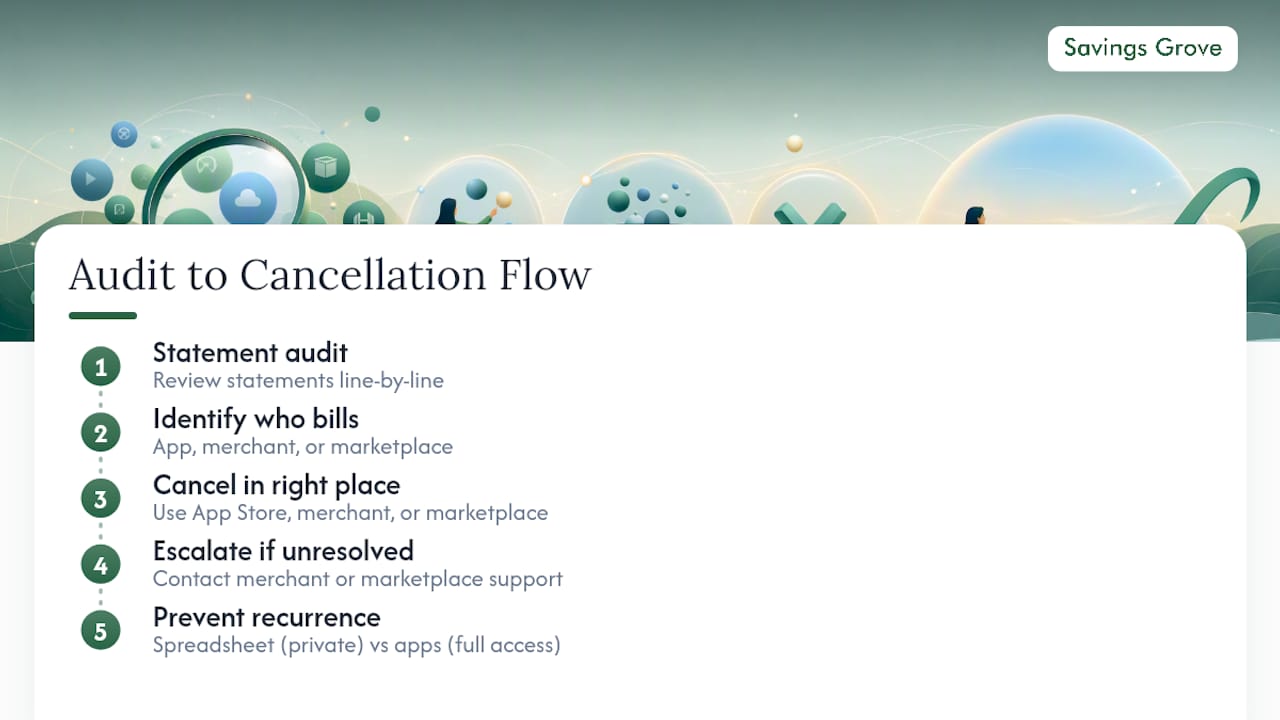
If you do one thing first, make it the statement audit. Everything else, the App Store menus, the escalation ladder, the calendar reminders, only matters once you know exactly what you’re paying for and who’s billing you.
Get the full checklist and printable version
Running through billing channels one by one works, but it helps to have the whole process in front of you at once instead of piecing it together mid-cancellation.
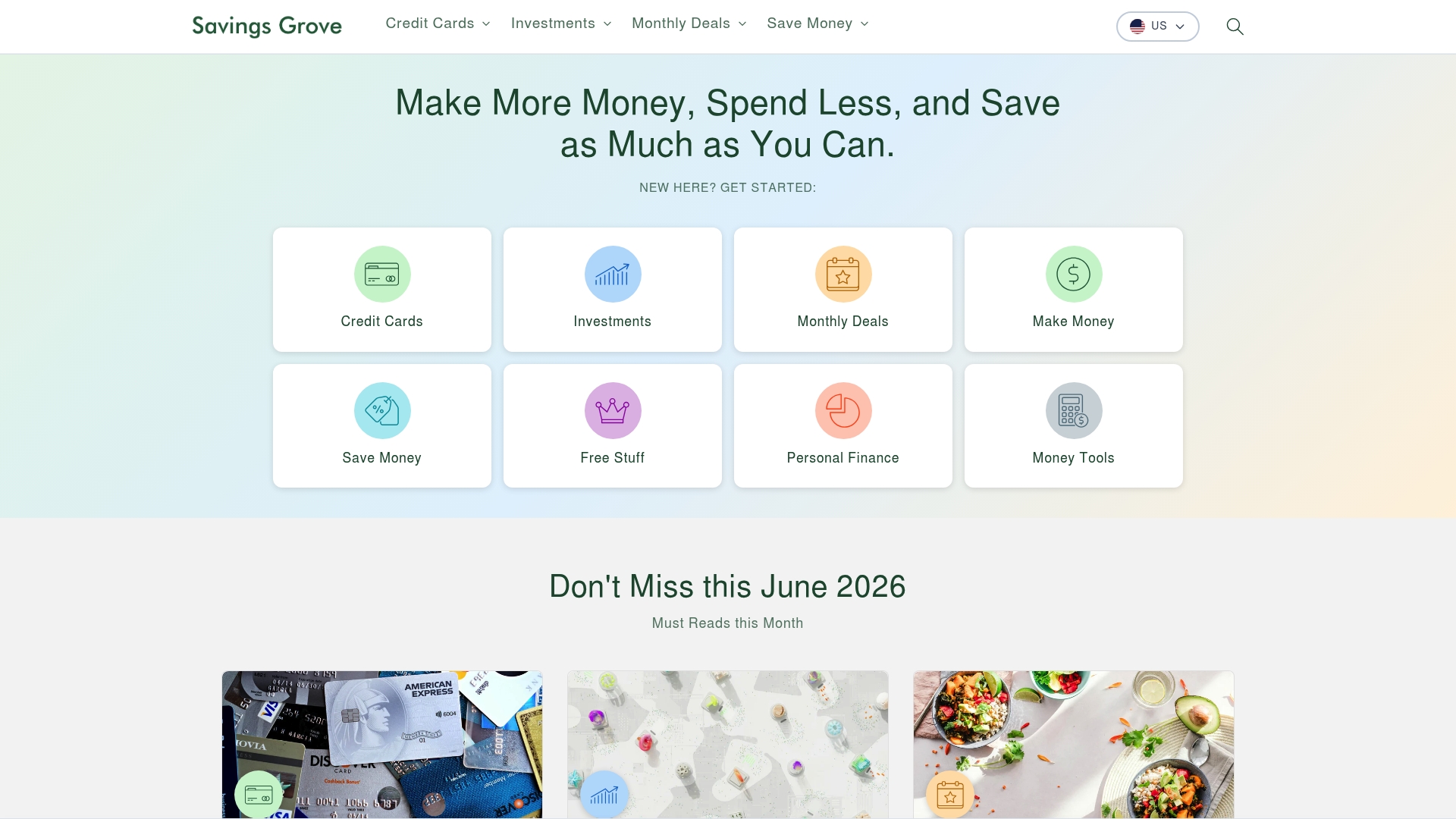
Savings Grove built a longer, step-by-step version of this exact playbook, organized the same way: by billing authority, with a “what to save” note attached to every step and the full escalation ladder laid out in order. If you’d rather work from a printable checklist than jump between browser tabs while you’re on hold with customer service, our complete guide to canceling subscriptions and stopping payments walks through every major platform with vendor-specific instructions and sample cancellation scripts. Open it, print the checklist, and knock out your entire subscription list in one sitting instead of stretching it across a week of half-finished attempts.
Frequently Asked Questions
Does pausing a subscription count as canceling it? No. Pausing typically stops charges temporarily but resumes billing automatically on a set date, so you still need to cancel outright if you don’t plan to return.
Will deleting an app cancel my subscription? No. Subscriptions are tied to your account on Apple’s or Google’s servers, not to the app itself, so you have to cancel through the App Store or Play Store menus directly.
What should I do if a merchant keeps charging me after I canceled? File a chargeback with your card issuer first, then escalate to the FTC, the CFPB, or your state Attorney General if the merchant doesn’t resolve it.
How long do I have to file a chargeback? Most card issuers accept disputes within 60 to 120 days of the statement date, so act as soon as you notice the unauthorized charge.
Are subscription-tracking apps safe to use? They can speed up discovery, but most require bank login access. A manual spreadsheet paired with a monthly statement check offers similar visibility without that privacy tradeoff.
This article is general information, not a substitute for advice from a qualified financial advisor. Consult a qualified financial professional about your own circumstances before acting on anything here.
0 comments
Leave a comment
Reviewed before they appear. Your email is not shown.